WanderVibe
WanderVibe

Project Documentation

Frontend Web Development Competition 2026

S.E.A College of Engineering and Technology

1️⃣ Project Overview

Project Title

WanderVibe - A Travel Discovery Platform

Website Category

Travel & Tourism / Discovery Platform

Team Name

WeCoders

Problem Statement

Travelers often struggle to find detailed information about destinations, save places they want to visit, and track where they've been. Most travel websites are either too complex or lack interactive features like saving favorites and tracking visited places.

Why We Chose This Project

We selected this project because travel is a universal interest, and helping people discover new places is meaningful. Building a travel discovery platform allowed us to apply all our frontend skills — responsive design, interactive features, local storage, and deployment — while creating something useful and visually appealing.

2️⃣ Project Description

Purpose of the Website

WanderVibe is designed to help travelers discover beautiful destinations around the world. Users can explore detailed information about each place, save favorites, and track places they've visited — all in one clean, interactive platform.

Target Users

  • Travel enthusiasts looking for destination inspiration
  • People planning their next vacation
  • Students and researchers exploring world cultures
  • Anyone who loves discovering new places

Key Features

  • 50+ Destinations: Curated places from around the world with detailed information
  • Save Favorites: Users can save destinations they want to visit
  • Track Visited: Mark places you've been and track your travel journey
  • Search & Filter: Find destinations by name, country, or category
  • Dark Mode: Toggle between light and dark themes
  • Photo Galleries: Multiple images for each destination
  • Google Maps Links: View each location on Google Maps

Future Improvements

  • User authentication (login/register)
  • Travel itineraries and trip planner
  • User reviews and ratings for destinations
  • Integration with real-time weather data
  • Booking and travel packages integration
  • Mobile app version

3️⃣ Technology Stack

Frontend Technologies

HTML5 CSS3 JavaScript (ES6+)

Deployment

Git GitHub Vercel

External Resources Used

  • Google Fonts: System fonts for clean typography
  • Unsplash: Free stock images for destinations
  • Pexels: Free stock images for hero and gallery
  • Flaticon: Icons used in the website

4️⃣ Team Information

Name Roll Number Department Year Email
G Nihal 1SP23CS024 CSE 4th Year nihalmohammad705@gmail.com
Tapu Das 1SP23CS105 CSE 4th Year tapu.das.in.tr@gmail.com

5️⃣ Team Contribution

Team Member Contribution
G Nihal
  • Homepage Design & Development
  • Destinations Page with Filtering
  • Destination Detail Pages
  • JavaScript Functionality (Favorites, Visited)
  • Search Feature Implementation
  • About Page & Documentation Page
  • Deployment on GitHub & Vercel
Tapu Das
  • Responsive Design & Media Queries
  • Contact Form with Validation
  • Image Slider & Animations
  • Dark/Light Mode Toggle
  • Footer Development

6️⃣ Challenges Faced

Problems Encountered

  • Responsive Design: Making the website work perfectly on all screen sizes (mobile, tablet, desktop) was challenging.
  • Image Loading: Images were not showing initially due to incorrect file paths.
  • Image Management: Downloading destination images manually and organizing them with correct file names was time-consuming.
  • Local Storage Sync: Keeping favorites and visited data in sync across pages required careful coding.
  • Dark Mode: Making sure dark mode applied consistently across all pages.
  • Search Functionality: Implementing real-time search without any external libraries.

How They Were Solved

  • Used CSS Grid and Flexbox with proper media queries for responsive design.
  • Fixed image paths by ensuring correct folder structure and file names.
  • Used global functions in JavaScript to handle localStorage across all pages.
  • Used CSS variables to switch between light and dark themes seamlessly.
  • Implemented search using plain JavaScript filter and include methods.

Lessons Learned

  • Always test across multiple devices during development.
  • Keep file paths consistent and organized.
  • Use CSS variables for theming and consistency.
  • Write reusable JavaScript functions.
  • Plan the folder structure before starting.

7️⃣ Learning Outcomes

Through this project, we learned:

HTML Structure

Semantic HTML and proper page structure

CSS Layouts

Flexbox, Grid, and responsive design

JavaScript DOM

DOM manipulation and event handling

Local Storage

Saving and retrieving data in browser

Form Validation

Real-time validation with feedback

Deployment

GitHub and Vercel deployment

Dark Mode

CSS theming and theme switching

Team Collaboration

Working together using Git and GitHub

8️⃣ Feedback on Frontend Web Development Training

9️⃣ Project Screenshots

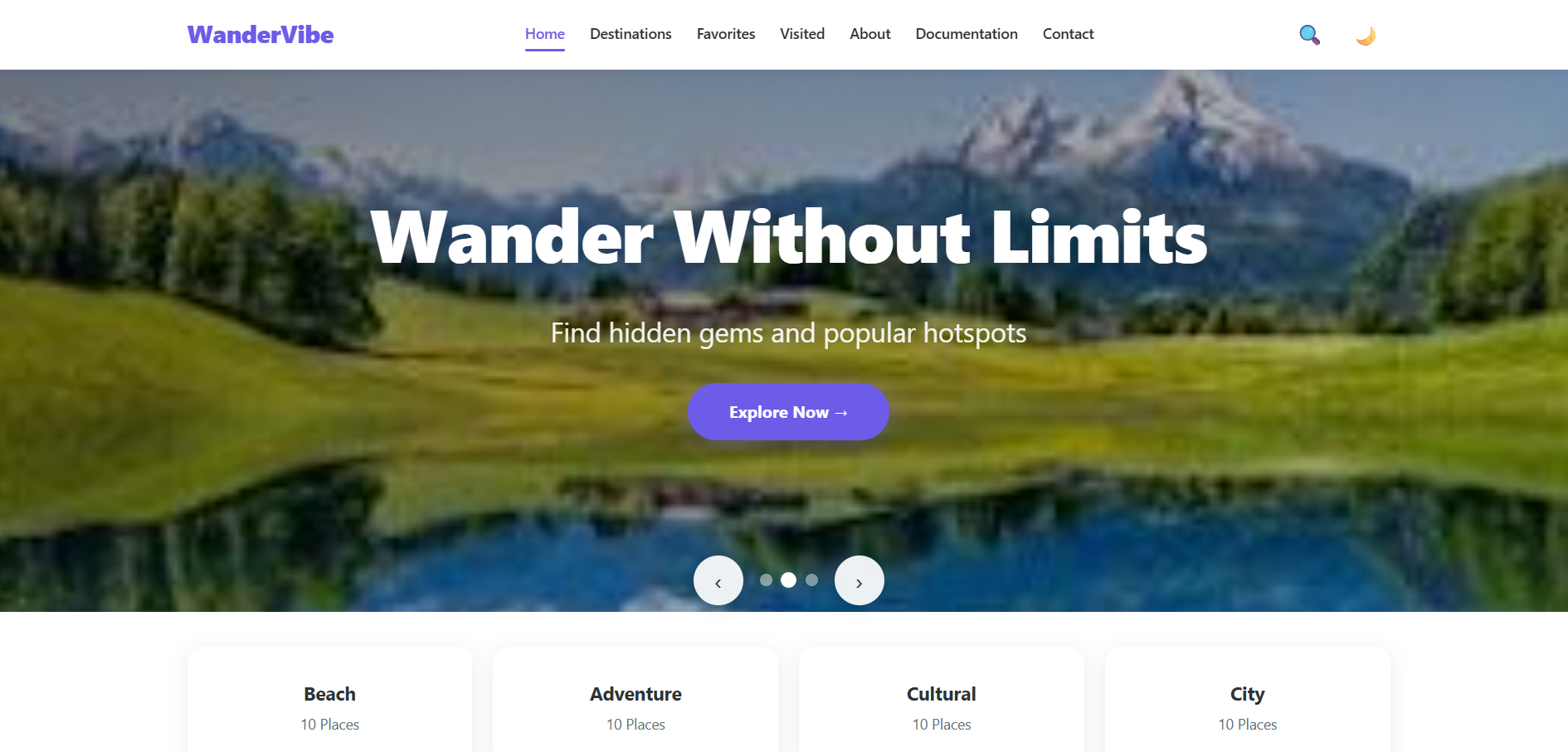
Home Page

Home Page

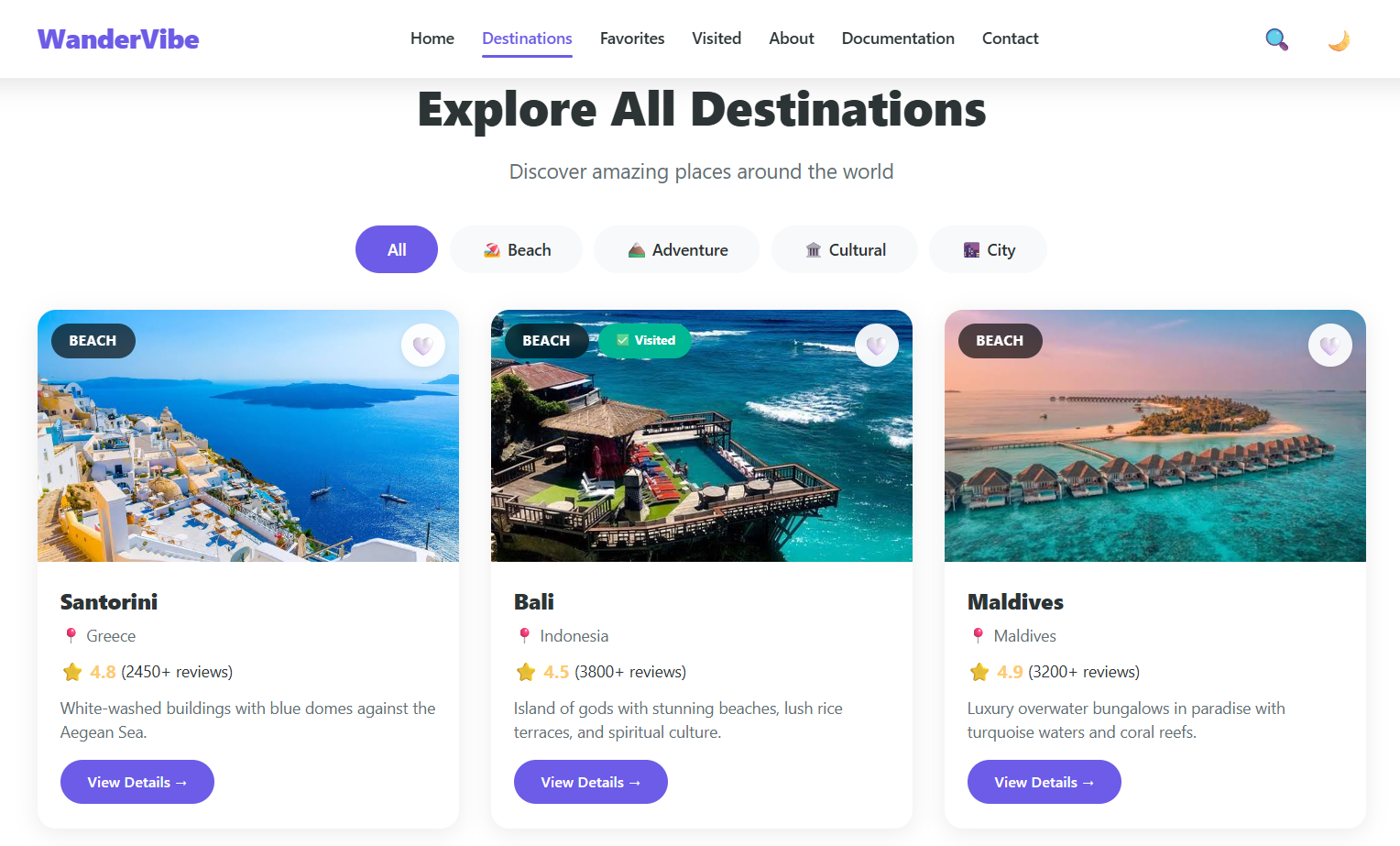
Destinations Page

Destinations Page

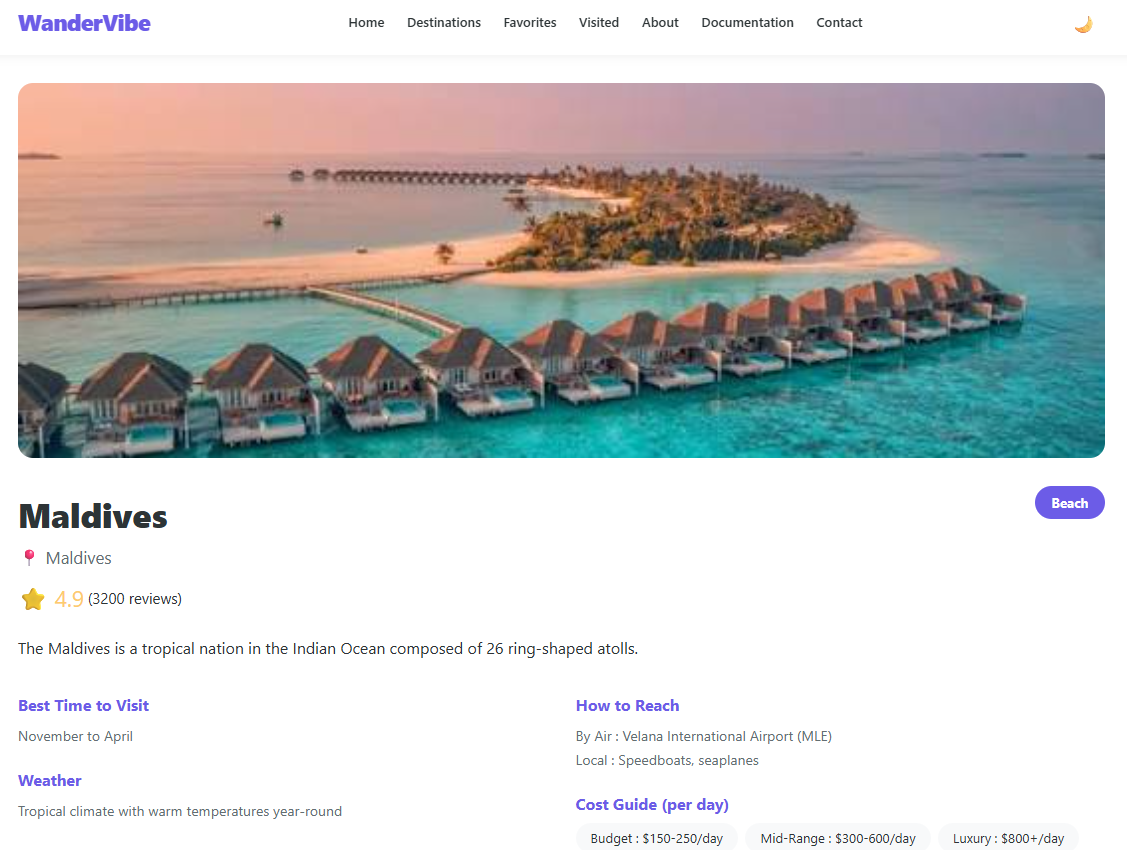
Destination Detail Page

Destination Detail Page

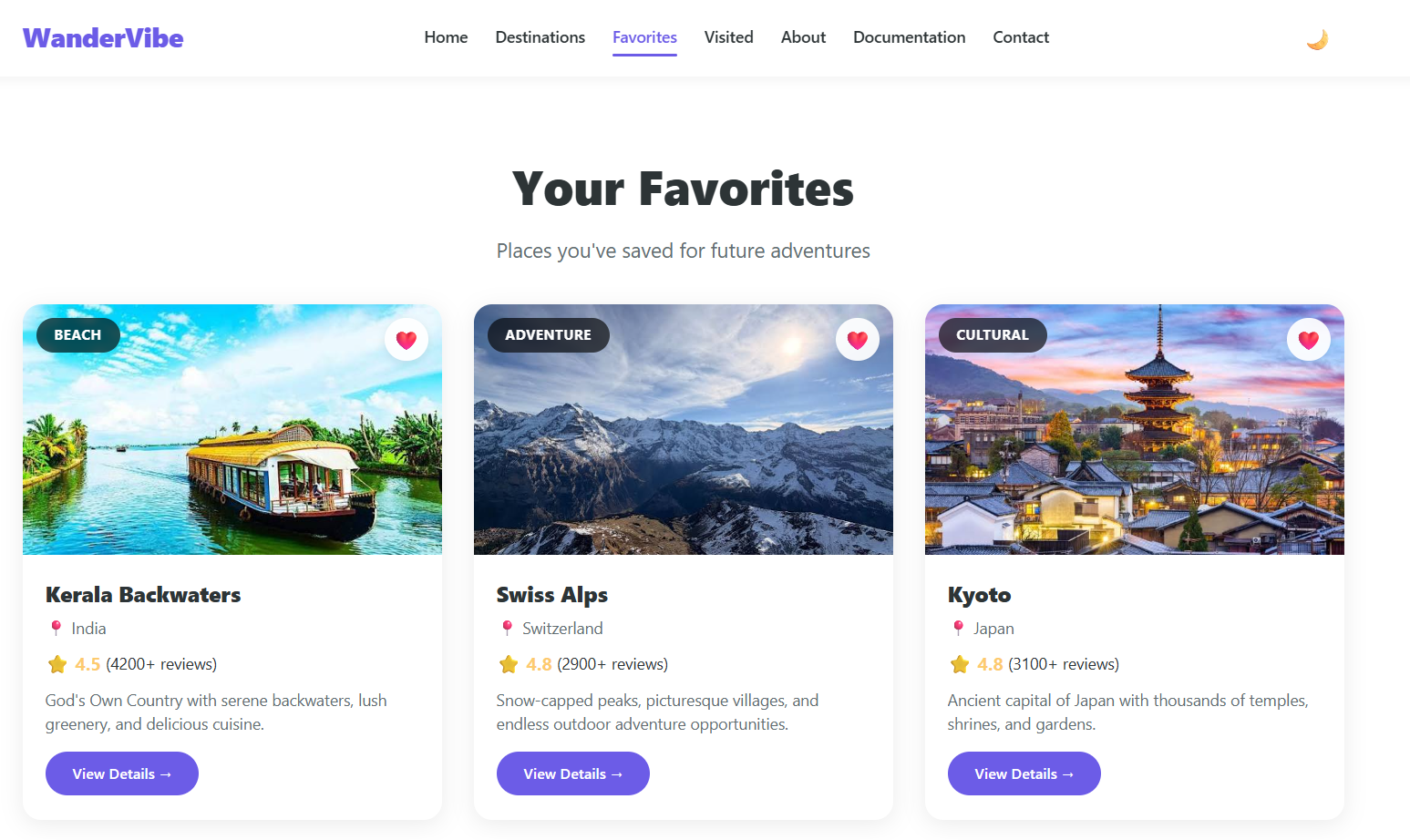
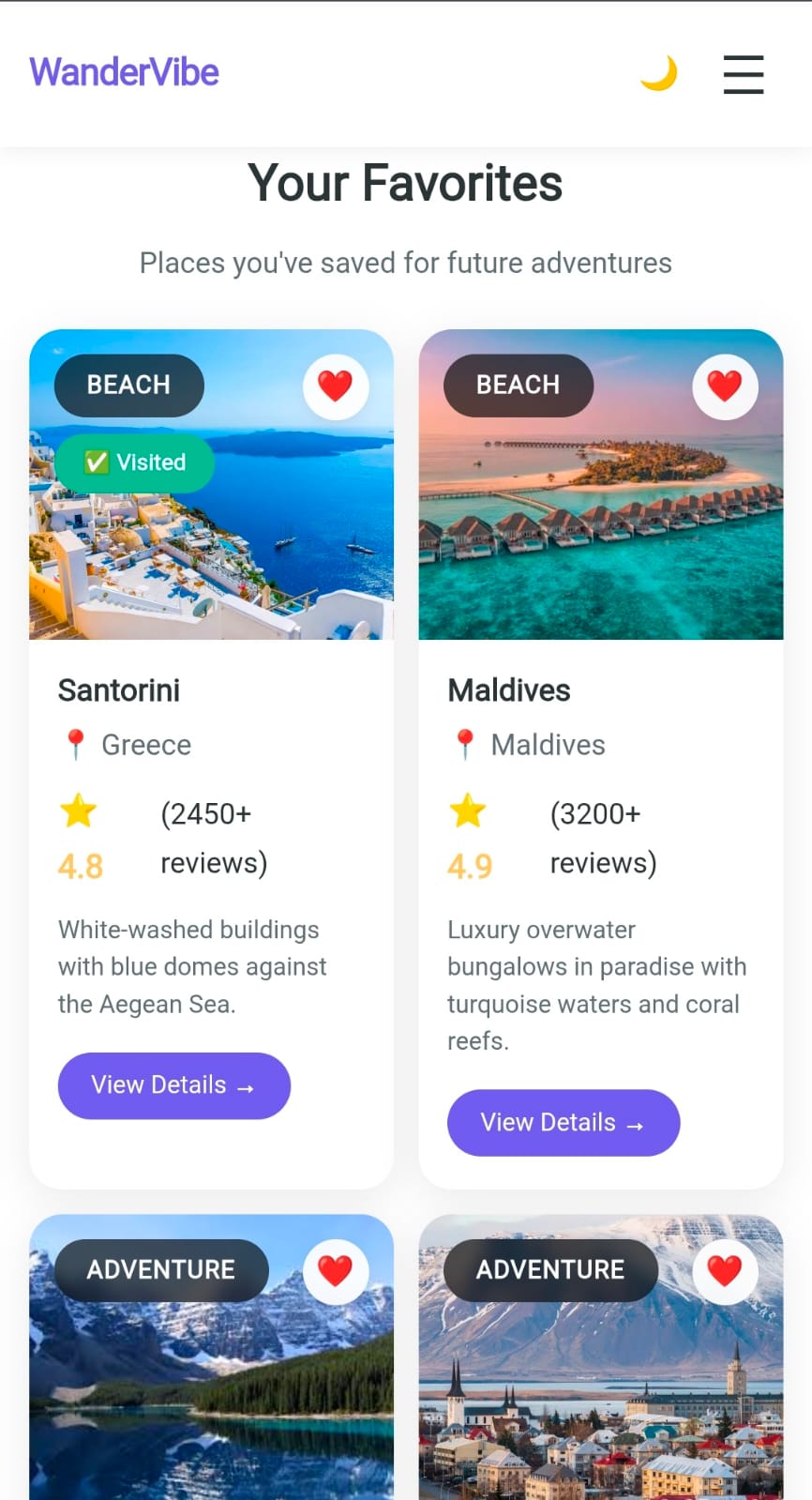
Favorites Page

Favorites Page

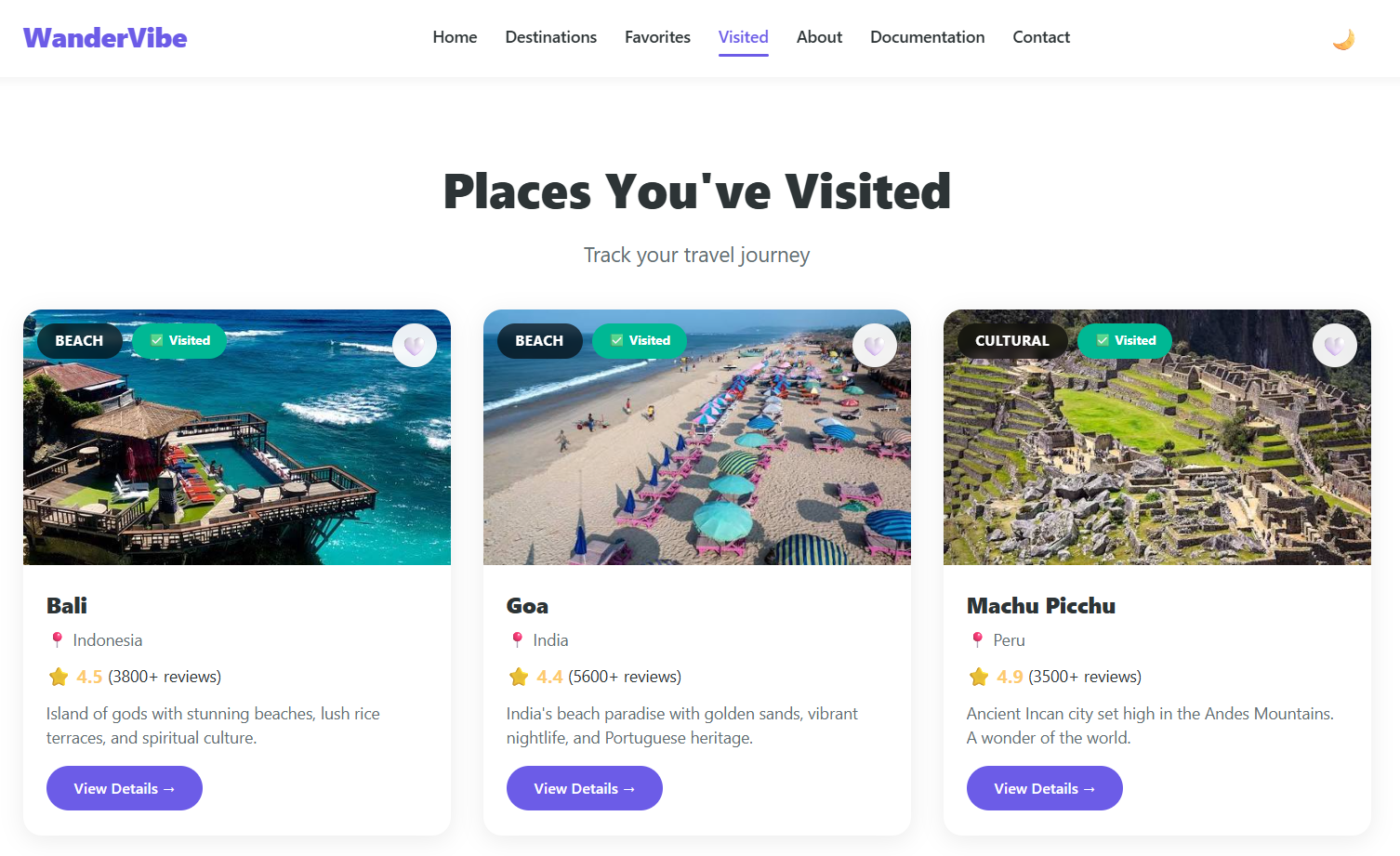
Visited Page

Visited Page

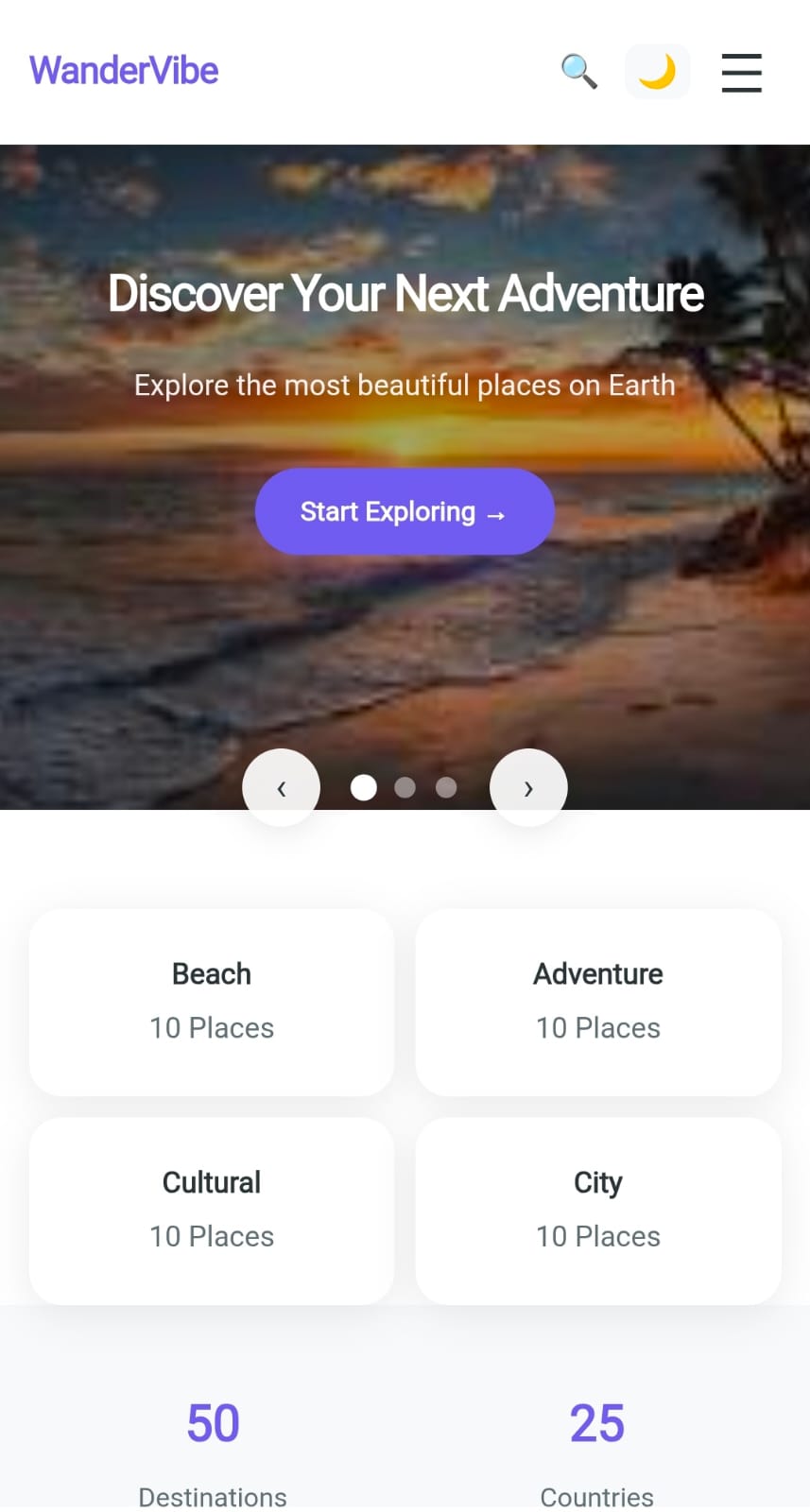
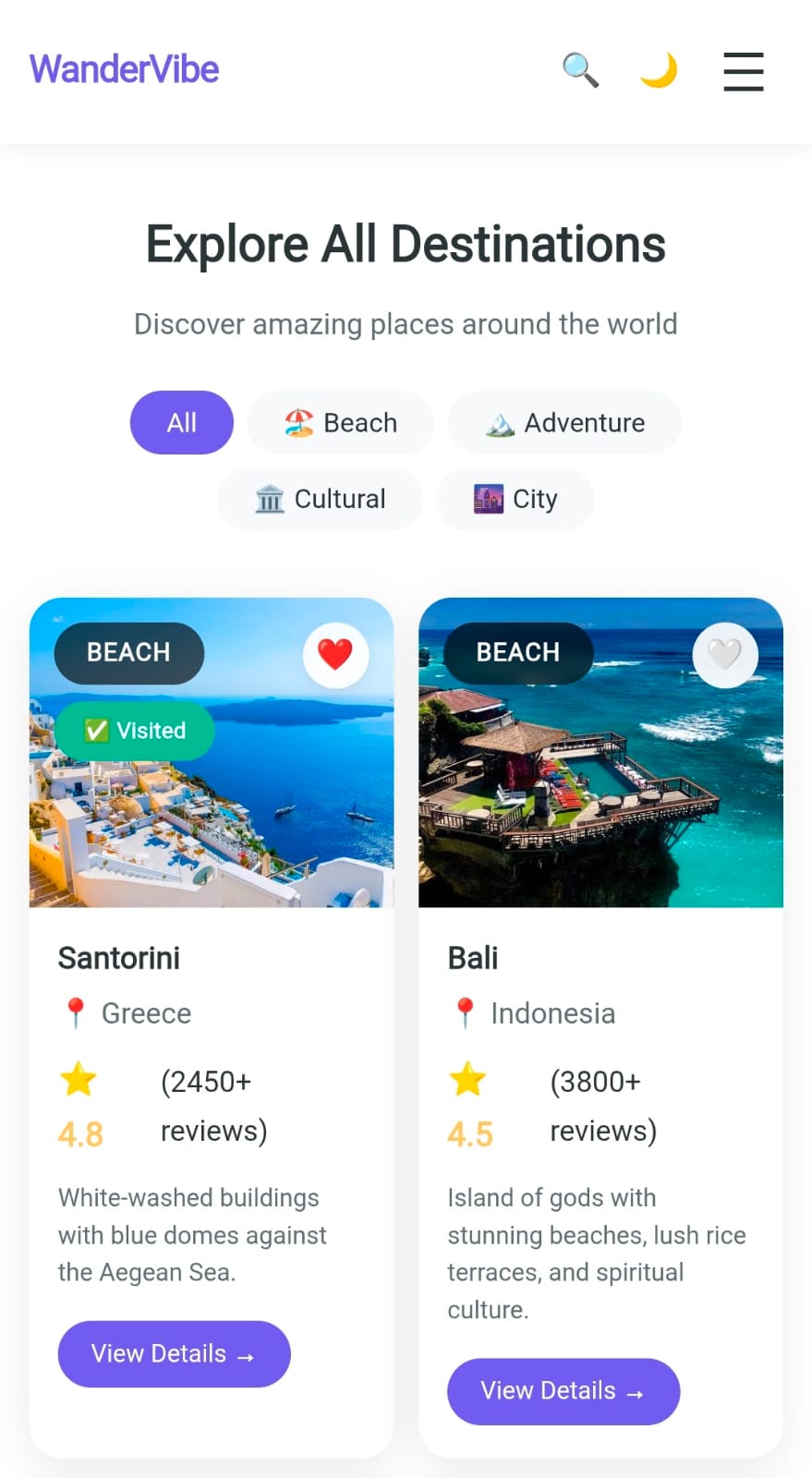
Mobile View

🔟 GitHub & Deployment Links

GitHub Repository

https://github.com/nihalmohammad705-debug/wanderVibe

Vercel Live Website

https://wanderVibe.vercel.app

Declaration

We hereby declare that this project was developed by our team specifically for the Frontend Web Development Competition 2026. The work submitted is original, and we have not copied any complete project or template from online sources. Any external resources used (such as icons, fonts, or images) have been appropriately acknowledged.

Developed by: WeCoders

S.E.A College of Engineering and Technology

Frontend Web Development Competition 2026

Organized by Destination Career